
OSOU Student Login – Password Recovery and Account Options
Part of OSOU ID & Login: OSOU Student Login Password Reset and LMS Credential Recovery
Fast facts
- Official LMS Portal
- lms.osou.ac.in
- WebPortal Address
- webportal.osou.ac.in
- Admission Support Email
- admission@osou.ac.in
- LMS Technical Email
- support@ulektz.com
- WhatsApp Support
- +91-98840 77034
- Toll-Free Helpline
- 1800-34567-58
On this page
- OSOU Alerts & Notifications
- OSOU LMS Login – Credentials and Account Options
- OSOU Student Login Password Reset – Step-by-Step Portal Process
- OSOU Admission Portal Login – Recovery and Detail Update Email Process
- OSOU Entrance Test Login – Default Credentials for Online Examinations
- OSOU Address Update Portal – Speed Post Certificate Distribution Rules
- OSOU Student Login Support – Official Technical Contact Channels
- OSOU Student Login Actions – Next Steps for Distance Learners
- OSOU pages you will need
- Official pages and documents for OSOU Student Login
- OSOU Student Login: common questions
Odisha State Open University, also known as OSOU, provides online portals for distance learners to access study materials, assignment details, and academic records. Enrolled students log in using their enrollment number or registered email address with their account password. Students who encounter portal access issues can retrieve their credentials directly through online recovery tools or official support channels. OSOU maintains technical assistance via email and WhatsApp during working hours.
OSOU LMS Login – Credentials and Account Options
Odisha State Open University provides access to Learning Management System services through the official LMS portal interface. Students enter their enrollment number or registered email ID along with their designated password to sign in.
The LMS login screen features self-service tools for credentials retrieval if a student forgets their login details. These recovery options allow learners to manage account access without visiting university offices.
- Enrollment Number / Email Id field for entering primary user credentials
- Password field for entering account security password
- Retrieve Email? link to recover registered email details
- Forgot Password? link to reset account login password
- Retrieve Enrollment Number? link to find student enrollment details
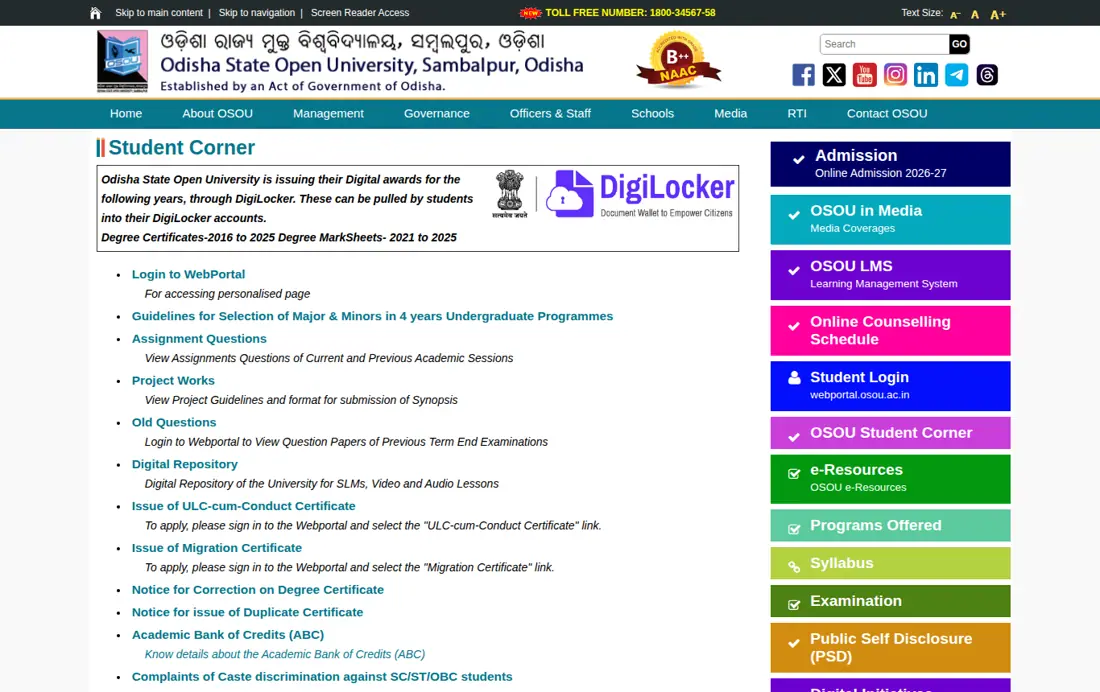
OSOU Student Login Password Reset – Step-by-Step Portal Process
OSOU learners can recover lost login passwords directly through the official LMS sign-in portal. The self-service option requires entering registered account identifiers to receive password reset instructions online.
- Open the OSOU LMS login page in a browser.
- Select the Forgot Password option located below the credentials entry fields.
- Enter your registered enrollment number or registered email address into the prompt field.
- Submit the request and follow the instructions sent to your registered email to set a new password.
- Return to the LMS sign-in page and enter your new password to access your student account.
OSOU Admission Portal Login – Recovery and Detail Update Email Process
Students facing login issues on the OSOU admission portal must contact the admission cell via email. Learners can also submit formal email requests to update personal information such as mobile numbers and email addresses.
- Send an email to admission@osou.ac.in from your registered email address
- Include your official OSOU Enrollment Number in the email body
- Attach a clear screenshot of the login error screen encountered on the portal
- Request updates for email ID, phone number, name, or application details if necessary
- Wait 48 working hours before re-contacting if payment deduction issues occur during login
OSOU: related tasks
OSOU Entrance Test Login – Default Credentials for Online Examinations
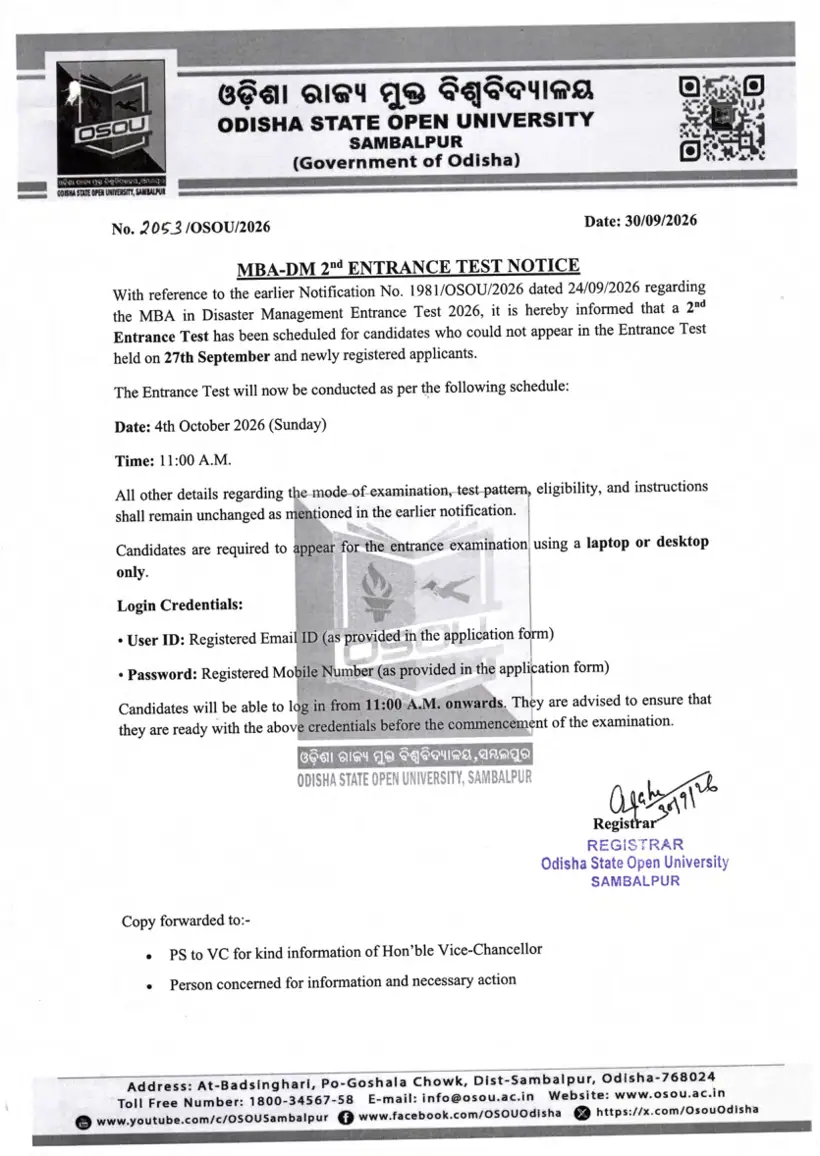
Odisha State Open University issues specific login credentials for online entrance examinations such as the MBA in Disaster Management test. Candidates must use their registered contact details to sign in on the test date.
OSOU Online Entrance Test Default Login Credentials
| Exam Parameter | Login Field | Default Credential |
|---|---|---|
| User Identifier | User ID | Registered Email ID |
| Account Access Code | Password | Registered Mobile Number |
| Permitted Device | System Requirement | Laptop or Desktop only |
| Test Timing | Access Window | 11:00 A.M. onwards on exam date |
OSOU Address Update Portal – Speed Post Certificate Distribution Rules
OSOU dispatches final degree certificates via Speed Post to students who passed out in 2022, 2023, 2024, and 2025. Learners must verify and update their postal address by logging into the student portal before the specified deadline.
OSOU Final Certificate Distribution Address Update Details
| Category | Specified Detail | Official Status / Deadline |
|---|---|---|
| Eligible Batches | Passed Out Years | 2022, 2023, 2024, and 2025 |
| Distribution Mode | Postal Channel | Speed Post in phased manner |
| Address Update Portal | Student Sign-In Site | webportal.osou.ac.in |
| Address Update Deadline | Cut-Off Date | 10 April 2026 (No extension) |
OSOU Student Login Support – Official Technical Contact Channels
Odisha State Open University provides multiple support channels for learners encountering technical difficulties on LMS and administrative web portals. Assistance is available through dedicated email addresses, WhatsApp messaging, and toll-free phone lines.
- LMS Support Email: support@ulektz.com for portal technical errors
- LMS WhatsApp Support: +91-98840 77034 (10:00 AM to 5:00 PM on all working days)
- Admission Support Email: admission@osou.ac.in for enrollment login issues
- General Information Toll-Free Number: 1800-34567-58
- General University Email: info@osou.ac.in
OSOU Student Login Actions – Next Steps for Distance Learners
Learners requiring portal access should verify their credentials on the OSOU LMS portal or OSOU WebPortal. Students updating address details for degree certificate distribution must complete all changes in their login profile.
OSOU pages you will need
| What you can do | Official page |
|---|---|
| access the OSOU LMS portal | lms.osou.ac.in ↗ |
| log in to OSOU WebPortal | webportal.osou.ac.in ↗ |
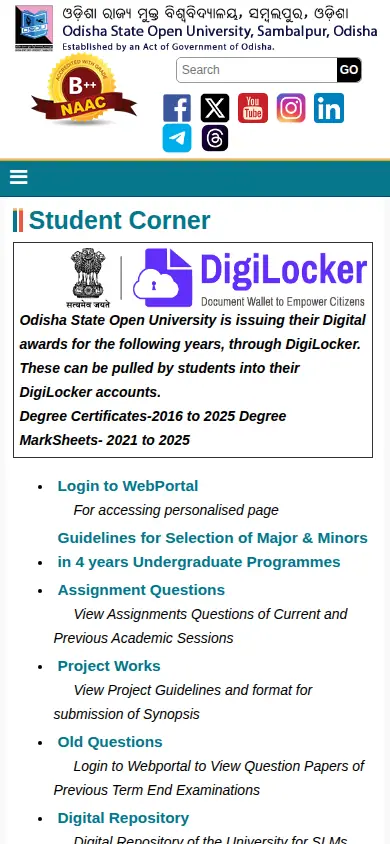
| visit OSOU Student Corner | osou.ac.in ↗ |
| open OSOU LMS login page | lms.osou.ac.in ↗ |
| create ABC ID and DEB ID | deb.ugc.ac.in ↗ |
OSOU Student Login: common questions
How do students log in to the OSOU portal?
OSOU students log in to the OSOU LMS login page or WebPortal using their enrollment number or email ID with their password. For the MBA in Disaster Management test, candidates log in using their registered email ID and mobile number. Logged-in learners can access study materials, ID cards, and hall tickets.
How do I reset my OSOU LMS login password?
Students can reset their password on the OSOU LMS portal by clicking the Forgot Password link on the login screen. Entering the registered enrollment number or registered email address submits the recovery request. If automated reset options fail, learners can write to support@ulektz.com or contact WhatsApp support at +91-98840 77034 between 10:00 AM and 5:00 PM on working days.
What should I do if I cannot log in to the OSOU admission portal?
Candidates unable to log in to the OSOU online admission portal must send an email to admission@osou.ac.in from their registered email ID. The email must state the student’s Enrollment Number and contain a screenshot of the login error screen. Personal details such as phone numbers or email addresses can also be updated through written email requests to admission@osou.ac.in.
How can I retrieve my forgotten OSOU enrollment number?
Learners can retrieve a forgotten enrollment number directly on the OSOU LMS portal at lms.osou.ac.in by clicking the Retrieve Enrollment Number link on the login interface. This self-service feature applies to all enrolled distance learners seeking access to their digital identity card and study materials.
What are the login credentials for OSOU online entrance examinations?
For OSOU online entrance examinations such as the MBA in Disaster Management test conducted in October 2026, the User ID is the candidate’s registered email ID. The login Password is the candidate’s registered mobile number provided in the application form. Candidates must log in using a desktop or laptop computer starting from 11:00 A.M. on the examination date.
How do I update my postal address in the OSOU student login portal?
Learners update their postal address by logging into webportal.osou.ac.in using their enrollment number and password. This applies specifically to students who passed out in 2022, 2023, 2024, or 2025 for Speed Post distribution of final degree certificates. For the 2026 cycle, profile modifications had to be completed by 10 April 2026.
What is the WhatsApp support number for OSOU LMS login help?
The official WhatsApp support number for OSOU LMS login assistance is +91-98840 77034. Enrolled learners experiencing technical login errors or portal issues can message this helpline from 10:00 AM to 5:00 PM on all working days. Any messaging inquiries submitted on Sunday are processed and answered on the following Monday.
What should OSOU applicants do if an admission fee payment is deducted but not reflected on the portal?
Applicants whose fee payment was deducted without reflecting on the portal must wait 48 working hours. If the transaction status does not update after 48 hours, candidates must email admission@osou.ac.in from their registered email ID with proof of deduction. The admission cell verifies the receipt to resolve the application status.
Are ABC ID and DEB ID mandatory for logging in and completing OSOU admission applications?
Yes, creating an Academic Bank of Credits (ABC) ID and a Distance Education Bureau (DEB) ID is mandatory before completing the OSOU online admission application. Candidates must generate these digital IDs online at deb.ugc.ac.in/StudentDEBId prior to submitting their registration forms. Without entering valid identifiers, applicants cannot finalize their admission process on the portal.
How can students update their registered email ID or phone number on the OSOU admission portal?
Students can request updates to their registered email ID or phone number by emailing admission@osou.ac.in from their registered email ID. The written request must state the candidate’s official Enrollment Number alongside the specific details requiring correction. This applies to candidates correcting profile records after submitting their online application.
How do students apply for Migration or ULC certificates using the OSOU WebPortal login?
Enrolled learners apply for a Migration Certificate or ULC-cum-Conduct Certificate by logging into their personalized account on webportal.osou.ac.in. Students must navigate to the Student Corner section and select the respective Migration Certificate or ULC-cum-Conduct Certificate link. This service allows eligible students to submit official document requests online.
More on Student Services
- OSOU Student Login Password Reset and LMS Credential Recovery
- OSOU Scholarship 2026: OSSP Portal Rules, Eligibility and Last Date Status
- OSOU LMS Portal and e-Gyanagar – Login and Online Access for Distance Learners
- OSOU Name Correction Form Guidelines and Online Profile Edit Rules
- OSOU Study Centre Login Portal – Access Process for Coordinators
- OSOU Identity Card Download – Webportal Process and Student Login Steps
Official pages and documents for OSOU Student Login
- OSOU Admission Frequently Asked Questions and Guidelines PDF — OSOU admission FAQ and login troubleshooting guidelines