
OSOU Identity Card Download – Webportal Process and Student Login Steps
Part of OSOU ID & Login: OSOU Student Login Password Reset and LMS Credential Recovery
Fast facts
- Official Student Webportal
- webportal.osou.ac.in
- Official LMS Portal
- lms.osou.ac.in
- Digital ID Card Availability
- Via Student Webportal
- LMS Support WhatsApp
- +91-98840 77034
- LMS Support Email
- [email protected]
- General Toll-Free Number
- 1800-34567-58
- ABC Support Call Center
- 18008893511
On this page
- OSOU Alerts & Notifications
- OSOU Digital Identity Card Download – Student Webportal
- OSOU Student Login – Academic and Personal Information Management
- OSOU LMS Login – Academic Study Materials and Assignments
- OSOU LMS Login Credentials – Account Access Retrieval Links
- OSOU Academic Bank of Credits ID – DEB ID Creation and Updates
- OSOU Student Support – Academic and Technical Query Channels
- OSOU Webportal Features – Assignment Questions and Resources
- OSOU pages you will need
- OSOU Identity Card Download: common questions
Odisha State Open University (OSOU), also known as OSOU Sambalpur, provides various digital services for its distance learners. These portals are essential for managing personal information, submitting assignments, viewing e-SLMs, and accessing examination-related services for the current academic sessions.
OSOU Digital Identity Card Download – Student Webportal
Odisha State Open University (OSOU) provides a Digital Identity Card for its learners, which is crucial for identification and accessing various university services. Students can download this digital ID card directly from their personalized student webportal. This process ensures that all enrolled candidates have immediate access to their official identification document.
- Visit the OSOU student webportal.
- Log in using your credentials.
- Navigate to the “Digital Identity Card” option under the “Learners” section.
- Follow the on-screen instructions to download your Digital Identity Card.
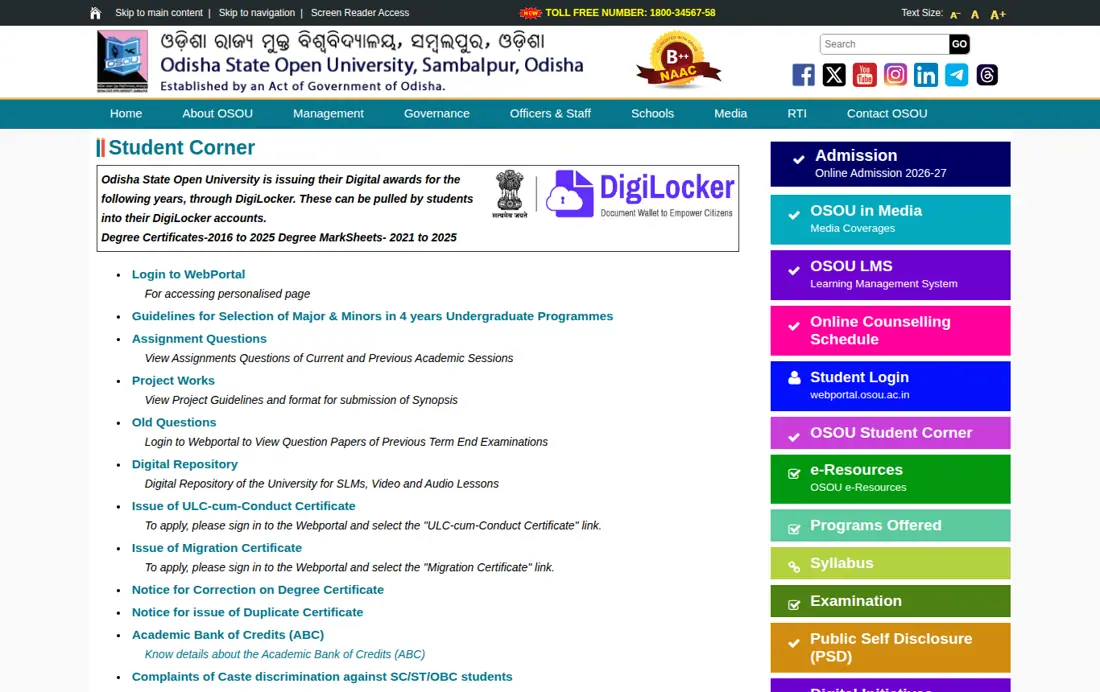
OSOU Student Login – Academic and Personal Information Management
The OSOU student webportal is a central hub for all enrolled learners to manage their academic and personal information. This portal allows students to access services such as re-registration, elective course selection, examination form fill-up, and downloading of hall tickets. Logging into this portal is the first step to utilizing these essential university resources.
- Personal Information Management
- Digital Identity Card
- Re-Registration for the next academic year
- Selection of the Elective Courses
- Grievance Redressal System
- Examination Form Fill-up
- Downloading of Examination Hall Ticket
- Changing of Examination Centre
- Upload Project Synopsis
- Results of Term End Examinations and Assignments
- Grade Cards and Provisional Certificate
- Re-Checking/ Re-Evaluation/ Photo Copy of Answer Scripts
- ULC and Migration Certificate
- SLM Despatch Status
- Complaints of Caste discrimination against SC/ST/OBC students
- Access the OSOU student login page.
- Enter your login credentials in the designated fields.
- Click the “Login” button to access your personalized student page.
OSOU LMS Login – Academic Study Materials and Assignments
The Odisha State Open University (OSOU) Learning Management System (LMS) is an online platform designed to support distance learners with their academic studies. Students use the LMS to access assignments, e-SLMs (Self Learning Materials), and video lessons, which are vital components of their learning journey. A successful login provides access to all course-related content and activities.
- Visit the OSOU LMS portal.
- Enter your ‘Enrollment Number / Email Id’ in the first field.
- Enter your ‘Password’ in the second field.
- Click the “Login” button to proceed.
- Alternatively, you can choose “Continue in Browser” if prompted by a mobile app suggestion.
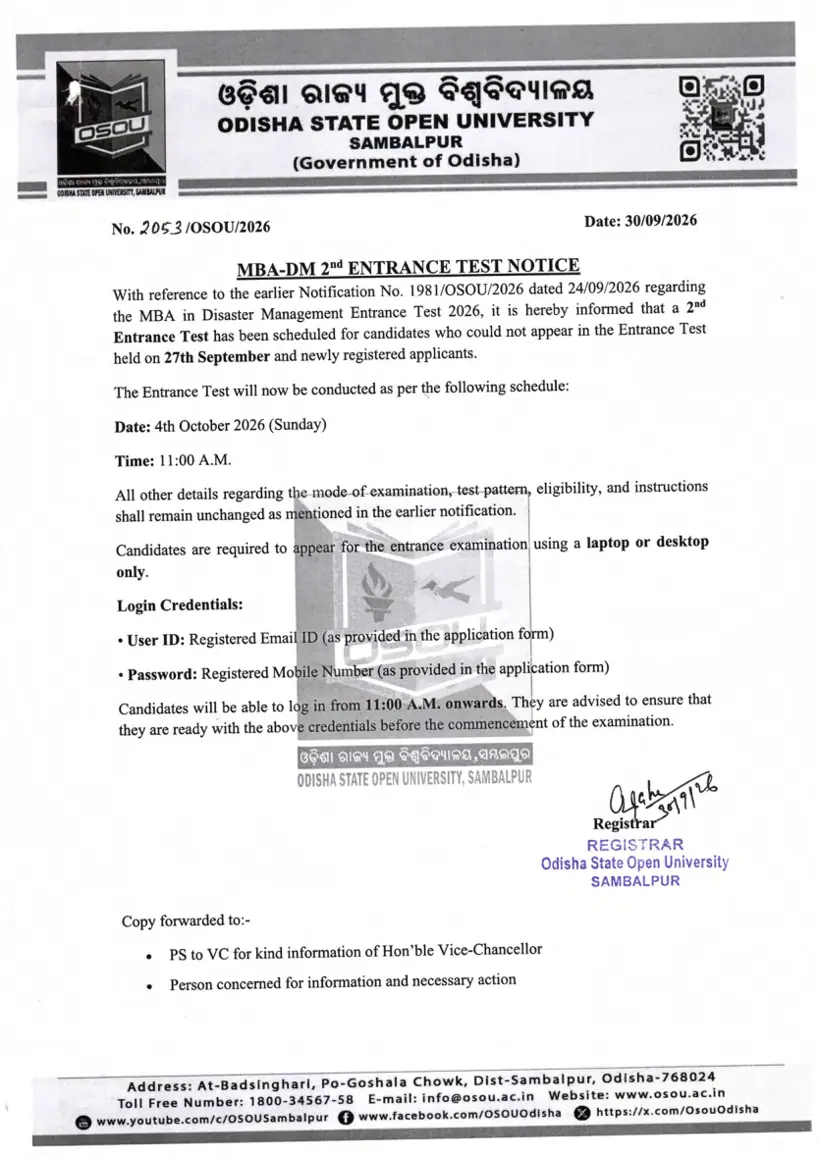
OSOU: related tasks
OSOU LMS Login Credentials – Account Access Retrieval Links
Students who encounter issues with their login credentials for the OSOU LMS portal can utilize the built-in retrieval options. If an enrollment number or password is forgotten, the portal offers specific links to help regain access to the account. This ensures that learners can quickly resolve login problems and continue their studies without significant interruption.
- Go to the OSOU LMS login page.
- To retrieve your email, click “Retrieve Email?”.
- To reset your password, click “Forgot Password?”.
- To find your enrollment number, click “Retrieve Enrollment Number?”.
- Follow the on-screen instructions for the chosen retrieval method.
OSOU Academic Bank of Credits ID – DEB ID Creation and Updates
The Academic Bank of Credits (ABC) ID is an important digital identifier for students, especially when creating a DEB ID for distance education. Odisha State Open University (OSOU) encourages students to understand the process of creating and updating their ABC ID, as it is a prerequisite for generating the DEB ID on the UGC DEB portal. Ensuring the ABC ID is accurate is crucial before proceeding with DEB ID creation.
- To Create DEB ID using ABC ID:
- 1. Register on the UGC DEB portal using your ABC ID.
- Steps to Correct APAAR/ABC Card Before Creating DEB ID:
- 1. Check your APAAR card for any mistakes or missing details, such as your name, date of birth, or gender.
- 2. For any issues or discrepancies related to your ABC ID or APAAR ID, use the ABC Support Ticket System at https://support.abc.gov.in/ or the DigiLocker app. You may also contact the ABC support call center at 18008893511 for assistance.
- 3. Confirm that all corrections have been made and your APAAR card is up-to-date.
- 4. Only after confirming the APAAR card is correct, proceed with creating your DEB ID.
- Steps to Correct/Update DEB ID if Already Created:
- 1. Check your APAAR card for any mistakes or missing details, such as your name, date of birth, or gender.
- 2. For any issues or discrepancies related to your ABC ID or APAAR ID, use the ABC Support Ticket System at https://support.abc.gov.in/ or the DigiLocker app. You may also contact the ABC support call center at 18008893511 for assistance.
- 3. Confirm that all corrections have been made and your APAAR card is up-to-date.
- 4. Only after confirming the APAAR card is correct, proceed with updating your DEB ID on the given link: https://deb.ugc.ac.in/StudentDEBId/UpdateDebDetails.
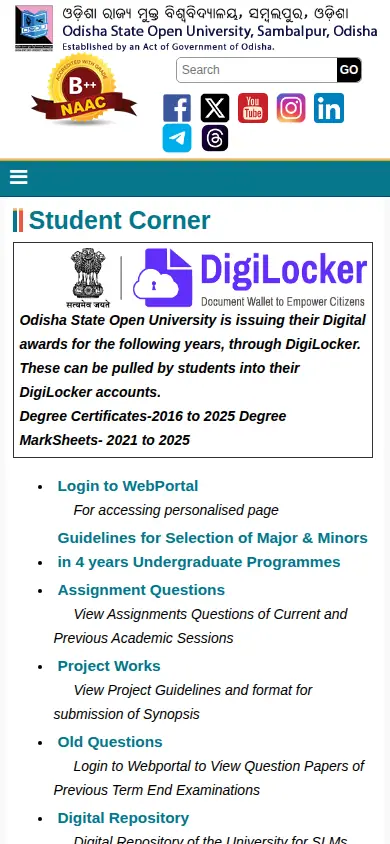
OSOU Student Support – Academic and Technical Query Channels
Odisha State Open University (OSOU) provides multiple channels for students to receive support regarding their academic and technical queries. Whether students need assistance with the LMS portal, general university information, or have specific questions, dedicated support teams are available. Utilizing these contact methods ensures that learners can get timely help and resolve any issues they may face.
OSOU Student Support Channels
| Service | Contact Detail | Availability |
|---|---|---|
| LMS Support Email | [email protected] | All working days |
| LMS Support WhatsApp | +91-98840 77034 | 10:00 AM – 5:00 PM (All working days) |
| General Toll-Free Number | 1800-34567-58 | All working days |
| ABC Support Call Center | 18008893511 | As per ABC guidelines |
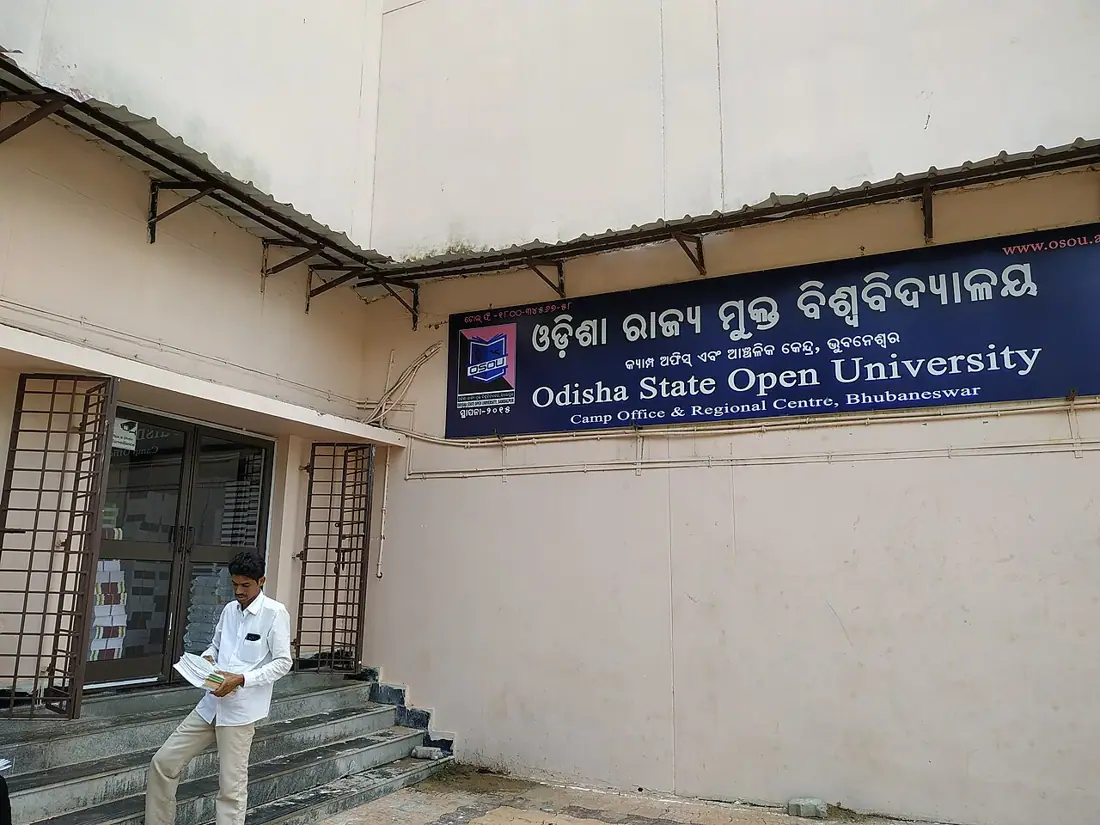
OSOU Webportal Features – Assignment Questions and Resources
The OSOU student webportal offers a comprehensive suite of services designed to support learners throughout their academic journey. Beyond personal information management and examination processes, students can also access resources like assignment questions, project guidelines, and previous term-end examination papers. This centralized portal ensures that all necessary academic tools and information are readily available to students.
- Guidelines for Selection of Major & Minors in 4 years Undergraduate Programmes
- Assignment Questions (Current and Previous Academic Sessions)
- Project Works (Guidelines and format for synopsis submission)
- Old Questions (Previous Term End Examinations)
- Digital Repository (SLMs, Video and Audio Lessons)
- Issue of ULC-cum-Conduct Certificate (Apply via Webportal)
- Issue of Migration Certificate (Apply via Webportal)
- Notice for Correction on Degree Certificate
- Notice for issue of Duplicate Certificate
- Academic Bank of Credits (ABC) details
- Complaints of Caste discrimination against SC/ST/OBC students
- Grievance Redressal Mechanism
- Evaluation Methodology and Pattern of Questions
- Indian Knowledge System (IKS) in OSOU Curriculum
- Student Feedback 2025-26 submission
OSOU pages you will need
| What you can do | Official page |
|---|---|
| OSOU LMS login page | lms.osou.ac.in ↗ |
| OSOU student webportal | webportal.osou.ac.in ↗ |
| OSOU LMS login page | lms.osou.ac.in ↗ |
| UGC DEB portal | deb.ugc.ac.in ↗ |
| OSOU student login page | webportal.osou.ac.in ↗ |
OSOU Identity Card Download: common questions
How do students log in to the OSOU portal?
Students can log in to the OSOU portal through two main platforms: the student webportal and the Learning Management System (LMS). For the webportal, visit webportal.osou.ac.in ↗ and enter your login credentials. For the LMS, go to lms.osou.ac.in ↗ and use your Enrollment Number/Email ID and Password. Both portals serve different academic needs for distance learners.
Where can OSOU students download their Digital Identity Card?
OSOU learners download their official Digital Identity Card directly through the student webportal at webportal.osou.ac.in. After logging into your personalized student page, navigate to the “Learners” section and click on the “Digital Identity Card” link. This service is available to all enrolled distance learners across current academic sessions to obtain immediate official identification. If portal access fails or credentials do not work, reach out to student support via email at support@osou.ac.in or call 1800-34567-58.
What services are available on the OSOU student webportal?
The OSOU student webportal offers a wide range of services for learners, including personal information management, re-registration for the next academic year, and selection of elective courses. Students can also fill examination forms, download hall tickets, view term-end examination results, and apply for various certificates like ULC-cum-Conduct and Migration Certificates. This portal is a comprehensive resource for managing academic progress.
What is the OSOU LMS used for?
The OSOU Learning Management System (LMS) is primarily used by students to access essential learning resources and complete academic tasks. This includes viewing assignments, downloading e-SLMs (Self Learning Materials), and watching video lessons. The LMS, accessible at lms.osou.ac.in, is a crucial platform for engaging with course content and submitting required work.
How can OSOU students retrieve forgotten login credentials?
OSOU students who have forgotten their login credentials for the LMS portal can use the retrieval options available on the login page. By visiting lms.osou.ac.in ↗, students can click on “Retrieve Email?”, “Forgot Password?”, or “Retrieve Enrollment Number?” to follow the guided steps. This process helps students regain access to their accounts efficiently.
What is the contact information for OSOU student support?
OSOU student support can be reached by calling the toll-free number 1800-34567-58 for general university inquiries. For LMS platform assistance, learners can email support@osou.ac.in or send a WhatsApp message to +91-98840 77034 from 10:00 AM to 5:00 PM on all working days. Queries sent on Sunday are addressed on Monday. For ABC ID or APAAR Card discrepancies, students should contact the dedicated ABC helpline at 18008893511 or open a ticket at support.abc.gov.in.
Why is an ABC ID important for OSOU students?
An ABC ID is important for OSOU students as it is required for creating a DEB ID on the UGC DEB portal, which is relevant for distance education. Students must ensure their ABC ID (or APAAR card) details are accurate before proceeding to register for their DEB ID. Any discrepancies in the ABC ID should be corrected through the ABC Support Ticket System or DigiLocker app.
How can OSOU students access their degree certificates and marksheets on DigiLocker?
OSOU provides digital academic awards through DigiLocker, including Degree Certificates for 2016 to 2025 and Degree MarkSheets for 2021 to 2025. Learners can log into their personal DigiLocker account to pull these official records directly into their digital document wallet. This service allows students to access verified credentials instantly without visiting the university. In case of discrepancies on certificates, check the degree correction notice on the webportal or contact support at support@osou.ac.in.
How do OSOU students create a DEB ID for distance education?
OSOU learners must create a DEB ID by registering on the UGC DEB portal at deb.ugc.ac.in using their ABC ID. Before creating the DEB ID, ensure that your APAAR card details such as name, date of birth, and gender are completely accurate. Any discrepancies in your ABC ID should be resolved through the ABC Support Ticket System at support.abc.gov.in or the DigiLocker app first. Once corrected, update your DEB ID details on deb.ugc.ac.in/StudentDEBId/UpdateDebDetails.
How can OSOU students apply for a Migration or ULC-cum-Conduct Certificate?
OSOU students can apply for a ULC-cum-Conduct Certificate or Migration Certificate online through the student webportal at webportal.osou.ac.in. To initiate the application, sign in to your personalized webportal account and select the relevant certificate link under the student services menu. Ensure all academic records and personal information are updated before submitting the request. If you experience portal errors while applying, contact the student helpdesk by emailing support@osou.ac.in or calling 1800-34567-58 on working days.
What is SATHEE portal and how can OSOU students access it?
SATHEE is a Ministry of Education initiative offering OSOU students a free learning and assessment platform to prepare for various competitive exams. Learners can access preparation materials in English, Hindi, and other Indian regional languages by visiting sathee.prutor.ai. The link is accessible directly through the OSOU webportal under student resources. If you experience access issues, contact OSOU support at support@osou.ac.in or call 1800-34567-58 during working hours.
How can OSOU students access previous term-end examination question papers?
OSOU students view previous term-end examination question papers directly through the student webportal at webportal.osou.ac.in. After logging into your personalized student account, navigate to the Student Corner section and click on the ‘Old Questions’ link. This allows enrolled distance learners to review past question papers for effective exam preparation across academic sessions. If portal access fails, contact university support by emailing support@osou.ac.in or calling toll-free at 1800-34567-58.
How do OSOU students upload their project synopsis on the webportal?
OSOU students upload their project synopsis directly through the official webportal at webportal.osou.ac.in under student services. Learners must log into their personalized webportal account, navigate to the ‘Upload Project Synopsis’ link, and review the project guidelines and submission format provided. This online facility ensures distance learners can submit required project proposals for evaluation without visiting the university. If you encounter technical issues during upload, reach out to student helpdesk at support@osou.ac.in or call 1800-34567-58.
How can OSOU students submit their student feedback for the 2025-26 academic session?
OSOU students can submit their feedback for the 2025-26 academic session online through the official Student Corner on osou.ac.in. Learners must navigate to the Student Corner section and click on the ‘Student Feedback 2025-26’ link to complete the evaluation form. This submission helps the university assess academic delivery and student resources across distance learning programs. If you face technical issues or page errors while submitting, contact support via email at support@osou.ac.in or call 1800-34567-58.
What is the current academic year for OSOU online admission?
OSOU’s online admission is currently open for the 2026-27 academic year. Students can find details about the admission process and programs offered on the university’s official website. This information is crucial for prospective learners planning to enroll in distance education programs. For specific admission guidelines, refer to the relevant sections on osou.ac.in.
What is the purpose of the OSOU Digital Identity Card?
The OSOU Digital Identity Card serves as crucial official identification for all enrolled learners. It is essential for accessing various university services and verifying student status. Students can download this card directly from their personalized webportal at webportal.osou.ac.in. This ensures immediate access to a verified identification document for all academic and administrative needs.
More on Student Services